
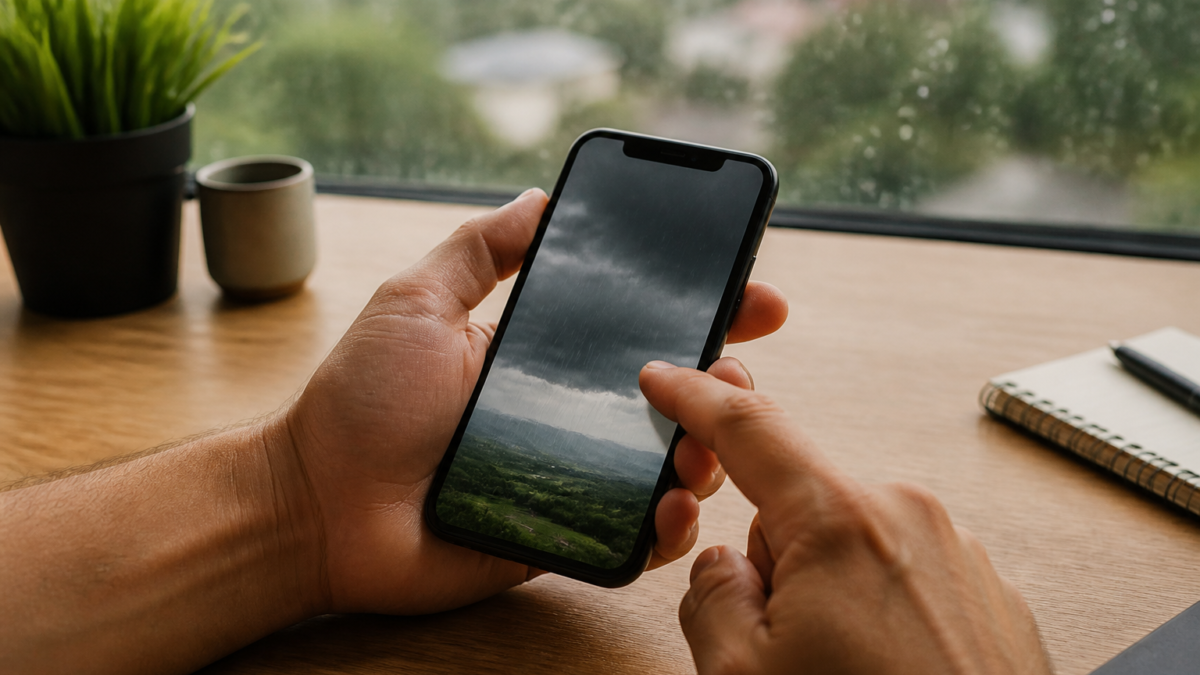
The Yahoo Weather app for iPhone underwent a major redesign in late July 2026, introducing enhanced radar, interactive maps, real-time precipitation forecasts, air quality readings, pollen levels, moon phases, and a detailed daily weather narrative.[1][2] This fresh update is available for free on the App Store and brings Yahoo’s weather experience in line with the needs of both casual users and weather enthusiasts. Despite these upgrades, users can still encounter issues such as crashing, data errors, alerts not working, or location inaccuracies. This comprehensive troubleshooting guide, rooted in official Yahoo and Apple guidance, will help you solve common Yahoo Weather app problems and optimize your iPhone experience.
Understanding Yahoo Weather’s 2026 Redesign
As of July 2026, the Yahoo Weather iOS app offers major improvements:[1]
- Minute-by-minute precipitation forecasts
- Air quality and pollen level readings
- Moon phase updates and daily weather narratives
- Enhanced radar and interactive weather maps
- “Coming up” section for upcoming weather events
These additions aim to deliver not just forecasts, but comprehensive weather insight. However, as with any update, new software can bring new bugs and compatibility quirks.
Common Yahoo Weather App Issues on iPhone
Many users report occasional problems with the latest Yahoo Weather app. Official Yahoo Help documentation recognizes and addresses several key issue types:
- App crashes or freezing
- Location-based issues (not showing current area or failing to update)
- Notifications (daily and emergency alerts missing or not triggering)
- Features not loading (radar, maps, or air quality data absent)
Remember, while anecdotal user experiences can highlight concerns, always start with official troubleshooting procedures.[3]
Checklist: Before You Troubleshoot
- Is the Yahoo Weather app updated to the latest version?
- Is your iPhone running the latest official iOS release?
- Do other apps have network/location issues?
- Have you reviewed Yahoo Weather’s in-app and iOS-level settings?
If you answer “no” or “unsure” to any item, address it before diving deeper into advanced fixes.
Official Yahoo Troubleshooting Steps
Yahoo’s official guidance for iOS app problems emphasizes a structured approach:[3]
1. Restart the Yahoo Weather App
- Swipe up from the bottom of your iPhone screen (or double-tap the Home button on older models) to view open apps.
- Swipe up on Yahoo Weather to close it.
- Reopen the app from your home screen.
2. Restart Your iPhone
- Press and hold the side/top button with the volume button.
- Slide to power off. After a few seconds, power it back on.
- This resolves temporary glitches that may affect app behavior.
3. Update the App and iOS
- Open the App Store, tap your profile, and update Yahoo Weather if prompted.
- Navigate to Settings > General > Software Update to ensure iOS is current.
4. Uninstall and Reinstall Yahoo Weather
- Tap and hold the app icon until it jiggles, then tap the minus or “Remove App.”
- Reinstall Yahoo Weather from the App Store.
Warning: This will erase in-app settings, saved locations, and preferences. You may need to reconfigure location and notification options after reinstall.
Location and Notification Settings
Most app issues stem from incorrectly configured permissions, especially for location and notifications. Here’s how to check and adjust them via Yahoo’s guidance:
Configuring Location Settings
- Go to Settings > Privacy & Security > Location Services on your iPhone.
- Scroll to Yahoo Weather and select your preferred location setting (e.g., “While Using the App” or “Always”).[4]
- Inside Yahoo Weather, tap the location menu to add, remove, or reorder cities.[5]
Notifications: Setting Daily and Emergency Alerts
- Open Yahoo Weather and go to settings (typically via the gear icon).
- Select Notifications and toggle on daily summaries or emergency alerts (e.g., for hurricanes, wildfires, or heat advisories).[6]
- In your iPhone’s Settings > Notifications, ensure Yahoo Weather is enabled.
Note: Alerts are limited to daily summaries and emergency events—granular options for precipitation or personalized push notifications are not currently available.
Troubleshooting Radar, Maps, and Data Issues
If interactive maps or radar overlays are blank or not updating:
- Check your internet connection (Wi-Fi or cellular).
- Force-close and reopen the app.
- Make sure location services are correctly enabled (see above).
- Update the app to the most recent version.
- Reinstall if issues persist.[3]
While the July 2026 update has enhanced map features, there’s no confirmed fix from Yahoo for all mapping bugs; some user-reported problems may persist.[1]
Yahoo Weather App Troubleshooter Table
| Issue | Recommended Action | Official Source |
|---|---|---|
| App crashes/freezes | Restart app & device; update app; reinstall if needed | [Yahoo Help] |
| Location not detected | Check iOS location permissions; adjust app settings | [Yahoo Help] |
| Notifications missing | Enable in app & iOS settings; confirm alert type is supported | [Yahoo Help] |
| Maps/radar not loading | Check internet, app update, location permissions | [9to5Mac] |
Trade-Offs and Extra Considerations
- App reinstallation: Erases all locally stored settings, requiring new configuration.
- Network settings reset: Removes all saved Wi-Fi passwords and custom VPN/APN settings.
- User reports: Occasional Reddit or forum complaints may not reflect your experience and are not officially recognized.
- Device upgrades: No official evidence currently shows older iPhones are incompatible with the new Yahoo Weather app. Upgrade if your device no longer receives iOS updates or has persistent issues with multiple apps.
FAQs: Yahoo Weather iPhone Troubleshooting
Why does Yahoo Weather keep crashing or freezing?
Frequent app crashes usually arise from bugs, outdated app versions, or conflicting iOS updates. Restart both the app and your device, check for updates, and if problems persist, uninstall and reinstall Yahoo Weather.[3]
How can I fix Yahoo Weather location problems?
Ensure iOS location services are active (Settings > Privacy > Location Services) and that Yahoo Weather is permitted to access your location. Inside the app, verify correct city selection or add new locations as needed.[5]
Can I get minute-by-minute precipitation alerts on iPhone?
While you’ll find minute-by-minute precipitation forecasts as part of Yahoo Weather’s new features, only daily and major emergency alerts (like hurricanes or wildfires) can be enabled for notifications.[6]
What should I do if maps or radar aren’t loading?
First, check your network connection. Then force-close the app and restart it. Updating to the latest Yahoo Weather version can also help. Persistent issues may require reinstalling the app.[3]
How do I turn on Yahoo Weather notifications?
Open the app, navigate to Settings, select Notifications, and toggle desired alerts. Also, in iOS Settings > Notifications, make sure Yahoo Weather notifications are allowed.[6]
Does Yahoo Weather use AccuWeather for its data?
Reports indicate Yahoo Weather now pulls forecast data from AccuWeather, but there’s no official guarantee on forecast accuracy.[2]
Should I upgrade my iPhone if Yahoo Weather isn’t working?
There’s no current indication that older iPhones are incompatible with the latest Yahoo Weather release. Only consider upgrading if your device no longer receives iOS updates or shows persistent issues across many apps.
Conclusion
The revamped Yahoo Weather app for iPhone packs a wealth of new features and delivers a visually rich experience for weather tracking. Most issues can be fixed by following straightforward troubleshooting steps: restart the app, update or reinstall, and configure location and notification settings per Yahoo’s official guides.[3] For persistent issues, always consult Yahoo’s help portal or consider contacting Apple Support for device-specific concerns. While rare bugs or network hiccups can still arise, regular maintenance and awareness of official Yahoo documentation will keep your weather updates timely and accurate.
Editorial note: This guide is for informational purposes only using official Yahoo and publicly available reporting. For device- or account-specific issues, consult Apple Support or Yahoo Help directly. Sources: 9to5mac.com, iPhone in Canada, Yahoo Help.






Leave a Reply