
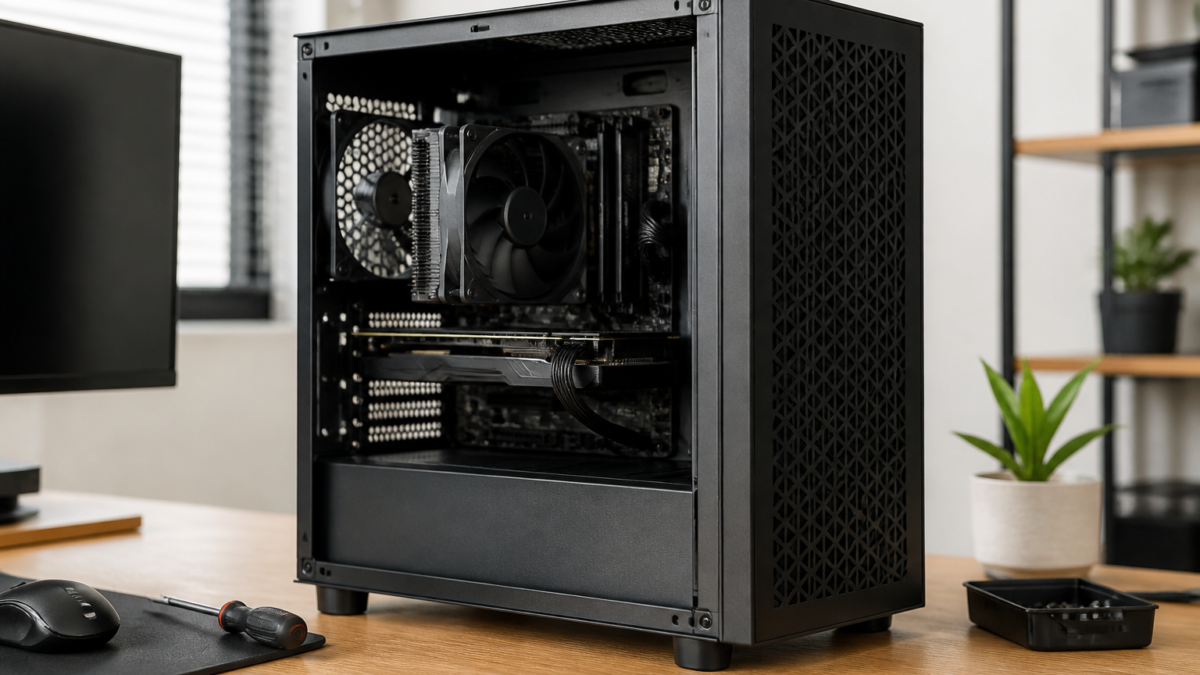
Choosing the best PC case for 2024—now more critical than ever for system builders in 2026—means more than just picking a stylish enclosure. The right PC case determines maximum GPU and cooler size, influences airflow, impacts noise, and decides whether the latest rear-connector motherboards can be used. With changing graphics card dimensions and cooling trends, a thoughtfully selected case streamlines upgrades, avoids costly mistakes, and enhances system reliability.
This comprehensive guide, grounded in manufacturer specs and independent testing, identifies today’s standout cases for gaming, productivity, and compact systems. We emphasize compatibility, included fans, cooling flexibility, and support for modern features—especially rear-connector boards and high-wattage GPUs. Prices and availability should always be checked before purchasing, as this market evolves rapidly. Read the full overview, check the detailed comparison table, and use the pre-purchase checklist to match the right enclosure to your next build.
Best PC Cases 2024–2026: Quick Comparison Table
| PC Case | GPU Clearance | CPU Cooler Height | Pre-Installed Fans | Radiator Support | Motherboard Support | Highlights |
|---|---|---|---|---|---|---|
| Lian Li LANCOOL 217 | 380 mm | 180 mm | 5 | Top 360 mm | Mini-ITX to E-ATX (280 mm), SSI-EEB | Excellent airflow; five fans; flexible PSU mount |
| Corsair FRAME 4000D RS | 430 mm | 170 mm | 3 | Up to dual 360 mm (front/top/side) | Mini-ITX to E-ATX (305 × 277 mm) | Modular layout; big GPU/radiator support |
| Phanteks XT Pro Ultra | 415 mm | 184 mm | 4 (D-RGB) | Top 360 mm, front 240 mm, rear 120 mm | Mini-ITX to E-ATX (280 mm) | Strong value, included RGB fans |
Lian Li LANCOOL 217: Best All-Around ATX PC Case
The Lian Li LANCOOL 217 is a smart choice for mainstream ATX and high-performance gaming PCs. Its 380 mm GPU clearance accommodates most large cards, and the 180 mm CPU cooler limit fits powerful tower air coolers. Five fans—two huge 170 mm intakes, a rear 140 mm, and two 120 mm above the PSU shroud—give excellent airflow coverage out of the box, reducing immediate upgrade costs (source).
Support extends to Mini-ITX, Micro-ATX, ATX, E-ATX (up to 280 mm wide), and even SSI-EEB boards. Rear-connector motherboards can be accommodated for cleaner cable routing, and the rotating PSU mount supports supplies up to 220 mm. Top-mounted radiators up to 360 mm are easy to install, with full dimensions of about 482 × 238 × 503 mm. Check all component measurements—including cable bends and power connector clearance—before buying, as a front radiator can decrease GPU fit (review).
Corsair FRAME 4000D RS: Top Modular Mid-Tower Case
Corsair’s FRAME 4000D RS modernizes the mid-tower workhorse with outstanding flexibility. It takes GPUs up to 430 mm, CPU coolers up to 170 mm, and E-ATX motherboards up to 305 × 277 mm. Full support for reverse-connector boards (ASUS BTF, MSI Project Zero, Gigabyte Project Stealth) keeps future upgrade options open (source).
The RS variant includes three RS120 PWM fans (ARGB fans included in the ARGB version), and the case can fit up to 12 × 120 mm fans. Radiator slots offer extensive cooling potential (dual 360 mm radiators possible on front, top, side). Its 37 mm rear cable space simplifies tidy builds, while modular panel options help customize both airflow and aesthetics. This case is ideal for tinkerers who prioritize expansion and cooling layout.
Phanteks XT Pro Ultra: Premium Value with D-RGB Cooling
Phanteks’ XT Pro Ultra is a high-value choice that doesn’t skimp on practical features. You get four 140 mm D-RGB fans included for immediate, stylish airflow. The case supports GPUs up to 415 mm, air coolers to 184 mm, and E-ATX motherboards up to 280 mm wide (source).
Cooling flexibility is extensive: top radiators up to 360 mm, front radiators up to 240 mm, and rear radiators up to 120 mm, plus up to 10 × 120 mm or 6 × 140 mm fans in various mounting positions. The case’s 450 × 230 × 500 mm size makes it fit standard towers with ease. Compatibility for rear-connector boards (ASUS BTF, etc.) is included, making this an excellent option for RGB fans or anyone seeking maximum compatibility on a budget.
Things to Watch: Real-World Fit vs. Published Specs
Be aware that published maximums for GPU and cooler clearance may differ by several millimeters from real-world fit: a study by Tom’s Hardware found some cases may overstate or understate CPU cooler clearance by 3.5–10 mm (source). Installations involving thick radiators or elaborate GPU brackets can further reduce actual component space. Always compare your exact hardware dimensions—not just the labels—with the model’s real clearances before purchase.
Pre-Purchase PC Case Compatibility Checklist
- List complete model numbers for all components—don’t rely on general terms like “RTX GPU” or “ATX PSU.”
- Sketch the cooling layout—plan all intake, exhaust, and radiator positions.
- Subtract obstructions—remember radiator thickness, drive cages, GPU cabling, and cable bends from stated clearances.
- Verify front I/O connection support—internal USB-C or ARGB headers must match your case’s connectors.
- Count included fans and needed adapters/controllers—RGB setups may require specific motherboard headers.
- Check the drive mounting system—ensure your SSD/HDD layout matches the case’s bracket design.
- Measure your building space—leave room for ventilation, cables, and panels to open fully.
- Read the case manual—it can reveal less-obvious fit limitations or required mounting hardware.
Airflow, Cooling, and Noise: What Matters Most?
Most modern PC cases rely on mesh panels and optimized fan layouts. Multiple large intake fans (especially in the Lian Li LANCOOL 217 and Phanteks XT Pro Ultra) promote direct, unrestricted airflow. But more fans do not always guarantee quieter or cooler systems—high speed and turbulent airflow can increase noise. A practical plan is front/bottom intake with rear/top exhaust, using fan curves to tune noise without sacrificing thermal safety. Clean filters regularly and ensure a few inches of open space around intakes/exhausts for best performance.
Radiator placement is flexible: top radiators avoid GPU fit problems, while front radiators may offer slightly cooler liquid temperatures but can reduce GPU clearance. Ultimately, the best cooling depends on your build’s individual requirements and case’s internal layout.
Buying Mistakes to Avoid
- Neglecting real-world fit: Published specs are helpful but not infallible—measure your GPU, cooler, and PSU precisely and account for cables or brackets.
- Ignoring variant differences: Many cases come in multiple versions with differing fan counts, side panels, and accessory packs. Confirm you’re buying the right one.
- Paying for unused space: Oversized towers can complicate cable management and occupy unnecessary desk space for single-GPU builds.
- Relying solely on looks: Cases with heavy glass or restricted front panels often require additional tuning or ventilation upgrades to remain cool and quiet.
- Failing to verify rear-connector board support: Not all ATX cases fit new-style rear I/O motherboards. Check the specs for explicit compatibility.
- Improper floor placement: Carpets can block PSU intake; always use a hard platform or stand to preserve airflow.
Choosing the Right Case for Your Build Style
Start with your motherboard, power supply, and GPU size. If you’re using a rear-connector (BTF, Project Zero) board, ensure your chosen case features the appropriate openings. For traditional ATX builds, the LANCOOL 217 is all-purpose; for modular or large-radiator setups, the Corsair FRAME 4000D RS excels. Want full-size performance on a budget? The Phanteks XT Pro Ultra is a strong favorite. For compact or unconventional builds, seek out current-generation micro-ATX or mini-ITX cases with precise clearance details.
FAQs: Building and Buying Your 2026 PC Case
Which case supports the largest graphics cards?
The Corsair FRAME 4000D RS supports GPUs up to 430 mm, making it ideal for the latest high-end cards and extra-long cooling setups (source).
Do published cooler heights always match real fit?
No—manufacturer specs can differ from actual usable space by several millimeters. Always compare your aftermarket cooler’s true height to in-depth reviews or measure yourself for critical builds (source).
Are all these cases compatible with rear-connector motherboards?
Yes: the Lian Li LANCOOL 217, Corsair FRAME 4000D RS, and Phanteks XT Pro Ultra each advertise support for ASUS BTF, MSI Project Zero, and Gigabyte Project Stealth (rear I/O) motherboards in their specs. Still, check for specific mounting options and read the manual when planning cable routing (source, source).
Can I fit multiple radiators in these cases?
Corsair FRAME 4000D RS supports up to two 360 mm radiators in various front, top, and side positions for elaborate liquid setups. Phanteks XT Pro Ultra supports a top 360 mm and front 240 mm, while the Lian Li LANCOOL 217 allows up to a top 360 mm radiator. Planning is needed—simultaneous use reduces available motherboard and GPU space (source).
How many fans should I install for typical gaming?
Three strategically placed fans—two intake and one exhaust—are a typical starting point. Cases like the LANCOOL 217 and XT Pro Ultra include four to five, reducing aftermarket cost for most builds.
Does rear-connector motherboard support change case size?
Not usually. These cases maintain normal ATX or mid-tower dimensions but require extra cable-routing channels and knockouts behind the motherboard tray. Always confirm both your case’s and your board’s requirements before assembly.
How do I ensure my PC case is future-ready?
Select a case with E-ATX, rear-connector, and ample GPU/PSU clearing. Choose modular panel designs and extra fan slots to support hardware you may adopt later—like next-gen GPUs or liquid coolers.
Conclusion
Finding the best PC case in 2024 (and staying compatible with coming hardware in 2026) means balancing component fit, airflow, cable management, noise, and future-proof features. The Lian Li LANCOOL 217 is our top overall pick for its pre-installed fans, broad compatibility, and modern airflow design (source). The Corsair FRAME 4000D RS stands out for modular expansion and extreme GPU/cooling support, while Phanteks XT Pro Ultra offers strong value and RGB features for full ATX builds.
No single case will suit every desk or build, so confirm each measurement—especially if using large graphics cards, complex cooling, or rear-connector motherboards. Following the compatibility checklist will help avoid the most common mistakes. Invest in the chassis that matches your hardware and workflow—not just your favorite brand or the newest design—and you’ll ensure an easy, efficient system assembly for years to come.










Leave a Reply